Fast network tasks demand a different kind of proxy logic than ordinary browsing or simple page checks. When a team needs low delay, lighter packet handling, and support for live traffic patterns, a UDP proxy becomes much more than a technical add on and starts acting like a core part of the workflow. On the NSOCKS UDP page, this model is presented around native UDP handling, low latency performance, location filtering, and practical setup steps for users who work with gaming, VoIP, streaming, IoT, and other real time services. The strongest value comes from choosing the right UDP path for the right application instead of forcing live traffic through tools that were designed mainly for TCP based web sessions. ✨
Why real time traffic needs a different proxy approach
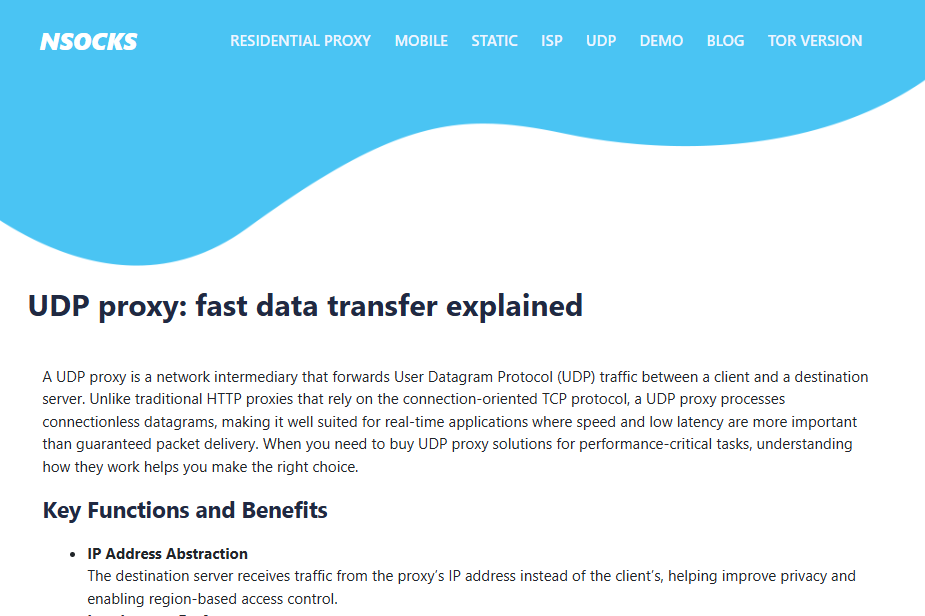
Real time applications do not behave like ordinary page loads, and that difference changes how a proxy should be selected. NSOCKS describes a UDP proxy as an intermediary that forwards UDP traffic between a client and a destination server, which is important because UDP works without the connection oriented behavior associated with TCP. That makes the category especially relevant when speed and low delay matter more than guaranteed packet delivery in every single exchange.
The page also explains that UDP avoids the handshakes and retransmission checks that are typical of TCP based flows. This matters because every extra check can add delay, and delay matters much more in live voice, live video, or gaming traffic than it does in ordinary browsing. A good UDP setup is therefore less about general proxy access and more about preserving the rhythm of live communication.
|
Core function |
What NSOCKS highlights |
Why it matters in practice |
|
IP address abstraction |
Destination sees the proxy IP |
Helps with privacy and region based access |
|
Low latency handling |
Less delay than TCP style relays |
Better for time sensitive traffic |
|
Native UDP support |
Works with UDP based services |
Useful for DNS VoIP and HTTP3 QUIC |
|
NAT and firewall assistance |
Helps forward blocked UDP traffic |
Improves access in restricted networks |
Low delay is the real selling point
The page makes low latency one of the main benefits of UDP proxies, and that is the clearest reason this category exists. A user handling voice traffic or live streaming does not gain much from a proxy that adds too much control overhead to every exchange. In this kind of workload, speed is not a luxury feature but part of basic usability. ✅
Native protocol support changes what is possible
NSOCKS also points out that UDP proxies support services that rely on UDP by design, including DNS, VoIP, and HTTP3 based on QUIC. That means the proxy is not simply sitting between a browser and a web page in the usual way. It is supporting a different class of traffic, one that benefits from lighter packet handling and faster delivery.
Restricted networks create a second reason to care
The page notes that UDP proxies can help in environments where firewalls or NAT would otherwise limit direct communication. This makes them useful not only for speed but also for reachability when direct UDP paths are hard to maintain. For teams working in controlled or filtered environments, that can be as important as latency itself. ✨
Which workloads fit UDP proxy use most
Some proxy categories are broad and can be used for many unrelated tasks, but NSOCKS presents UDP proxies through a much more specific workload lens. The page directly names online gaming, streaming and IPTV, VoIP and video conferencing, and IoT communication as common use cases. That gives buyers a stronger starting point because it frames the product around live or lightweight packet based services rather than general internet access.
This focus matters because it prevents category confusion. A user who needs smooth multiplayer traffic or cleaner media delivery should not evaluate the proxy the same way as someone choosing a route for rank tracking or static browsing. The intended workload changes the entire buying logic.
|
Use case |
Why UDP fits |
Main practical benefit |
|
Online gaming |
Sensitive to latency and jitter |
Smoother competitive play |
|
Streaming and IPTV |
Handles lightweight packet flow efficiently |
Better live playback continuity |
|
VoIP and video conferencing |
Needs low delay audio and video exchange |
More stable call quality |
|
IoT and device traffic |
Often uses UDP to reduce overhead |
Efficient relay for smart devices |
|
DNS and modern web transport |
UDP based protocols already in use |
Better protocol level compatibility |
Gaming benefits from reduced overhead
NSOCKS explicitly mentions gaming and highlights latency stability and reduced jitter in multiplayer environments. That makes sense because gaming sessions often suffer more from unstable timing than from the occasional lack of guaranteed delivery. In other words, the quality of motion and reaction depends heavily on time, not just on the existence of a connection.
Voice and video need speed more than ceremony
The page also presents VoIP and video conferencing as strong fits for UDP proxying. Audio and video systems become less useful when every packet waits behind unnecessary control behavior, so lightweight transport helps preserve conversational flow. This is one of the clearest examples of why UDP support should be chosen deliberately rather than treated as an optional extra. ✅
How UDP proxying differs from weaker relay choices
The NSOCKS page makes one especially important buying point in its provider guidance. It says users should choose a service with native UDP handling such as SOCKS5 rather than forcing UDP traffic over TCP, because tunneling UDP through TCP can introduce significant latency. That distinction is one of the most useful pieces of advice on the page because it turns protocol support into a real quality filter.
Native UDP handling is stronger for live workloads
The page recommends providers that support UDP directly and names SOCKS5 as a native option. That is a strong signal that live applications benefit from keeping the transport model aligned with the traffic itself. When the proxy understands the traffic naturally, the workflow is usually cleaner and faster.
TCP tunneling can solve the wrong problem
NSOCKS warns that sending UDP traffic over TCP can add significant latency. That may still have a place in specific restricted environments, but it is not the first choice when low delay is the real goal. A buyer who ignores this distinction may end up paying for access that technically works while still weakening the application. ❌
Modern implementations widen the technical options
The page names SOCKS5 UDP ASSOCIATE, MASQUE CONNECT UDP, Envoy Proxy, and smaller forwarding tools as technical implementations used for UDP relay. This does not mean every user needs to become deeply technical, but it does show that UDP proxying has several real deployment paths depending on scale and environment. That makes the category broader than a single consumer style product label. ✨
Step by step guide to buying and using NSOCKS UDP proxies
The NSOCKS page provides a straightforward purchase and setup flow, and that makes it possible to turn the product page into a practical operating checklist. The site says users should log in or create an account, select UDP enabled proxies in the filters, choose a country and optionally a city or state, review speed and ping, add the proxy to the cart, pay, then retrieve credentials from My Proxies. That sequence is simple, but it becomes more useful when each step is tied to a clear purpose.
Step one confirm that the application really uses UDP
Before opening the filter menu, the user should ask whether the software or device actually depends on UDP traffic. NSOCKS specifically advises users to make sure the application supports proxying UDP traffic. This is the first practical checkpoint because buying a UDP capable route is not very helpful if the target tool does not use that capability correctly. ✅
Step two choose UDP enabled proxies in the filters
The page instructs users to select UDP enabled proxies rather than browsing general inventory. This matters because it prevents category mistakes and keeps the purchase aligned with gaming, VoIP, or other UDP based tasks from the start. A cleaner filter path usually leads to a cleaner technical setup.
Step three compare location speed and ping together
NSOCKS tells users to choose a location and then browse for good speed and ping. That is important because low delay is one of the core reasons to buy UDP support in the first place, so performance should be judged before the proxy reaches the cart. For regional live applications, the right country or city can also matter as much as the raw numbers.
Step four test one proxy before scaling
The beginner tips on the page specifically recommend testing one proxy before buying in bulk. That is good advice because real time applications often reveal fit problems quickly, and a small first purchase is the easiest way to validate speed, compatibility, and routing behavior. Small evidence is more useful than large assumptions. ✨
Practical recommendations for different types of users
The NSOCKS UDP page is broad enough to serve more than one kind of real time operator, but the best results still come from matching the route to the workload. A gamer, a streaming team, and an IoT operator may all choose UDP support for different reasons. Good selection depends on knowing which one of those reasons is actually driving the purchase.
For gaming focused users
Gaming users should pay extra attention to ping and stability because the page directly links UDP proxies to latency improvement and jitter reduction. The right route is usually the one that preserves responsive motion and consistent timing, not merely the one with the lowest price. When game performance is the priority, delay should be treated as the main buying metric.
For voice and conferencing teams
VoIP and conferencing users should focus on applications that already rely on UDP and then validate the route in a real call or meeting environment. The NSOCKS page positions UDP support as useful for maintaining low delay audio and video quality, which means practical call behavior matters more than theoretical bandwidth claims. This is one of the clearest workload matches on the page. ✅
Information blocks for smarter UDP decisions
A short checklist often improves buying quality faster than another long explanation. UDP proxying is highly useful when the workload really depends on it, and much less useful when the buyer simply assumes that a specialized category must be better. These quick reminders help separate strong decisions from weak ones.
Signs that UDP support is the right match
-
✅ The application already depends on UDP traffic
-
✅ Low latency matters more than guaranteed packet confirmation
-
✅ The workload involves gaming streaming VoIP or device messaging
-
✅ Speed and ping have been checked before purchase
Signs that the setup may be weak
-
❌ The user never confirmed that the application supports UDP proxying
-
❌ The route is being chosen only by price
-
❌ The buyer expects TCP style behavior from a live UDP workload
-
❌ Bulk buying starts before one route is tested
Useful service facts to remember
The page says NSOCKS does not offer free trials, but it does allow short term pay as you go rentals starting at $0.40, with hourly and daily options and the possibility of renewal for the same IP. It also says UDP enabled SOCKS5 proxies are available across multiple countries including the USA and European locations. These details make the service practical for small scale validation before wider deployment. ✨
Where the NSOCKS UDP page is most useful
The page is strongest as a guide for people who need protocol aware proxy planning rather than generic browsing access. It explains what UDP proxying is, why native UDP support matters, which workloads benefit most, how to select an enabled route in the dashboard, and how to validate the setup through short term testing. For users building low delay paths for gaming, media, voice, DNS, or device traffic, that makes the NSOCKS UDP page a practical decision tool built around real time transport needs rather than around a broad proxy label. ✅